
How to Separate Business and Personal Calls on One Phone in India
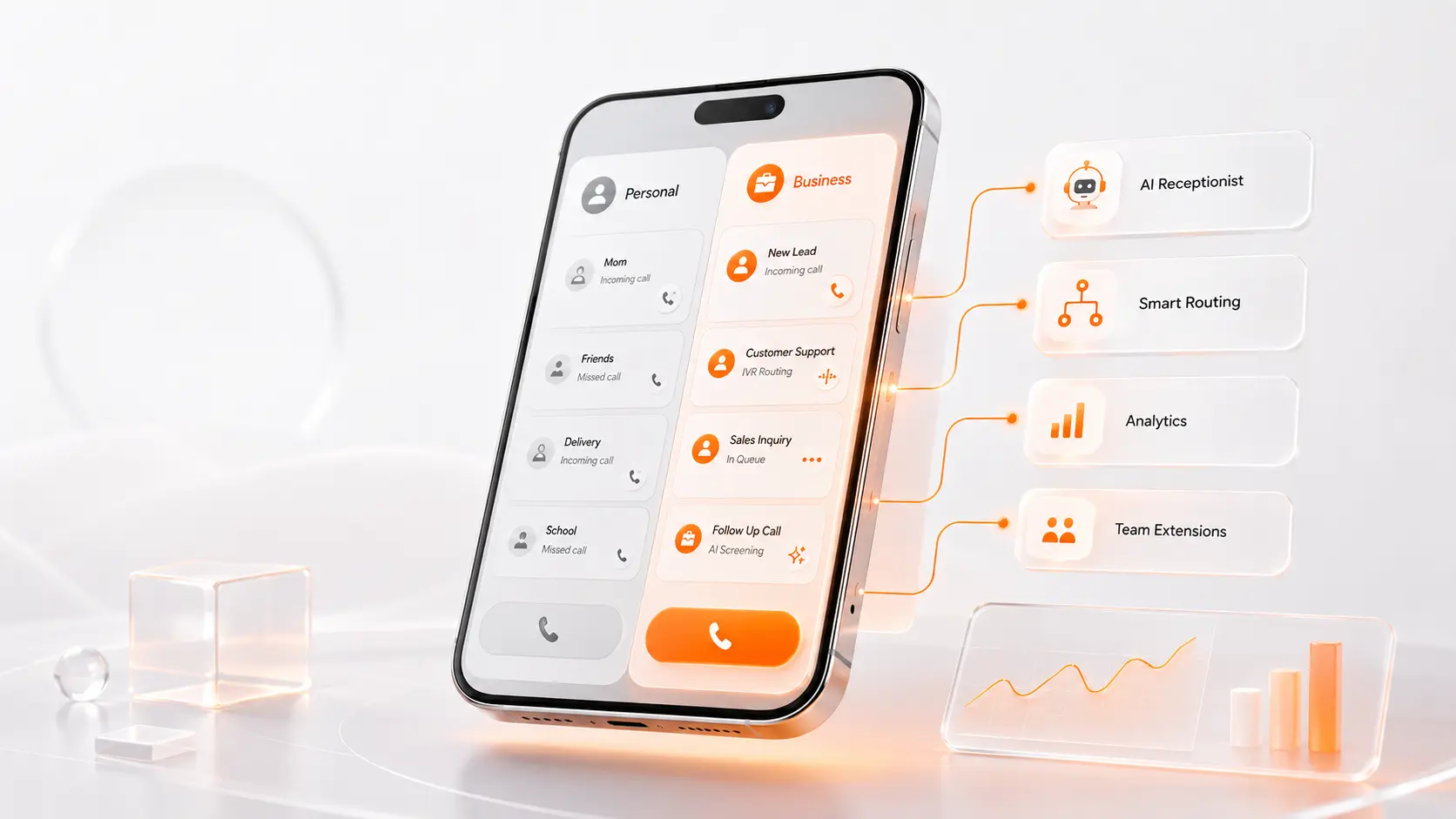
When you’re just starting out, using your personal phone number for business calls feels perfectly normal. But as your business grows, it can start affecting both your professional image and your personal life. Customer calls interrupt family time, your personal number becomes public, and keeping work and personal conversations separate gets harder.
The good news is that you don’t need a second phone to solve this. Whether you want the simplest setup or something that can grow with your business, there are three simple ways to fix this using your current smartphone:
- Dual-SIM setup: Add a second SIM card or eSIM to your phone for a separate business number.
- WhatsApp Business: Create a separate business profile for customer messaging.
- Cloud business phone system: Get a business number that works through an app, keeping business and personal calls completely separate.
Each option has a different cost, setup, and set of features. In this guide, we will compare all three approaches, explain where each one works best, and help you choose the right solution for your business.
Option 1: Dual-SIM Setup
For many freelancers and small business owners, adding a second SIM is the easiest way to separate business and personal calls. Many smartphones in India support two SIMs, either through physical SIM slots, eSIM, or both. This allows you to carry two distinct phone numbers without purchasing another phone.
Advantages of using dual SIM
A dual-SIM setup is simple and affordable. You only need a second prepaid or postpaid plan. The setup is easy, and you make calls using your phone’s regular dialer, so there is no new app to learn.
If you receive only a few business calls, a second SIM is a cheap way to keep your personal number off the internet. It ensures that customer calls ring on your work line, giving you basic separation.
Limitations of using dual SIM for business
Dual SIM works well at first. But it becomes harder to manage when you start receiving more customer calls. Imagine you are in a meeting and a new customer calls. With a dual-SIM setup, that call just rings out or goes to voicemail. You cannot automatically greet callers, transfer them to a colleague, or track missed calls as a team.
Because your second number is tied to one phone, communication stops if that phone is lost or unavailable. It works well when you work alone, but you will need a better system once your team grows.
The Verdict: A dual-SIM setup is a practical choice when you only need two separate numbers and don’t need to share client calls with a team or manage conversations across multiple people.
Option 2: WhatsApp Business
For many businesses in India, WhatsApp is already the default method of communication. Upgrading to WhatsApp Business is a popular next step because it allows you to maintain a separate business profile on the same phone.
Advantages of WhatsApp Business
WhatsApp Business is free to start and easy to use because most people already know how WhatsApp works. It gives small businesses helpful tools like a formal profile, product catalogues, quick replies, and chat labels.
If you mostly chat with customers, share catalogues, or send invoices, WhatsApp Business may be all you need.
Limitations of WhatsApp Business for phone calls
While messaging is easy, voice calling is not the main focus. Many customers still prefer speaking to someone before making a purchase. Instead of opening WhatsApp, they’ll often dial your number directly, which means those calls still end up on your personal mobile.
When several people need to answer calls, things become harder to manage. If you use your personal number for WhatsApp Business, customers may also see that number. To keep it private, you may need a separate SIM or business number.
The Verdict: WhatsApp Business is a good choice if you mostly chat with customers. But if your business receives many phone calls or multiple team members need to answer them, you will need a dedicated phone system. You can still use WhatsApp for messaging alongside a platform like ReceptionMonk™.
Option 3: Cloud Business Phone System
When you need to share calls across a team, route calls to different departments, or track missed calls, basic setups like a second SIM or messaging app are not enough. That is when a cloud phone system starts to make more sense.
How a cloud business phone system works
A cloud phone system works over the internet instead of a physical SIM. It gives your business a separate number while your personal number stays private. The owner and employees simply install an app on their smartphones. When a customer calls the company line, the system routes the call and rings the right team member’s phone over the internet. This keeps your business and personal calls separate without needing another phone.
How a cloud business phone system solves these problems
A cloud solution gives you a proper business number on your existing smartphone. You don’t need a second phone or another SIM card.
All customer calls go to your company number, while your personal calls stay exactly where they are.
If your team also relies on WhatsApp Business, ReceptionMonk brings your calls and WhatsApp conversations into one workspace, eliminating the need to constantly switch between communication tools.
When you add team members, you can easily set up an AI receptionist, routing rules, and individual extensions. Everything is managed from one dashboard. You can see who answered each call, which calls were missed, and how your team is handling customers.
When this option makes sense
A second number may be enough when you work alone. But as your team grows, a cloud phone system becomes easier to manage. You can keep the same business number while adding more employees, extensions, and call routing.
Dual SIM vs WhatsApp Business vs ReceptionMonk
| Capability | Dual SIM | WhatsApp Business | ReceptionMonk |
|---|---|---|---|
| Works on your existing phone | |||
| Works without a second phone | |||
| Provides a separate business number without another SIM | Limited | ||
| Provides a dedicated business number | Uses your mobile number | ||
| Manage business calls and WhatsApp together | |||
| Designed for business calling | Basic | Limited | |
| Keeps business and personal calls separate | Basic | Partial | |
| Supports team call sharing | |||
| Supports call routing | |||
| Supports automatic greetings | |||
| Supports business call tracking | Limited | ||
| Supports team extensions | |||
| Same business number as your team grows | Limited | Limited | |
| Good fit for solo freelancers | |||
| Setup complexity | Low | Low | Low to moderate |
| Best for | Basic number separation | Chat-focused communication | Structured business calling |
Which Option Is Right for You?
Choosing the best method to separate your calls depends on how your business works today and how you expect it to grow.
Solo freelancer with occasional calls
A dual-SIM setup is the best choice if your call volume is low and you simply need a second number to hand out. If you work alone and don’t need call tracking, extensions, or call routing, keeping it simple with a second SIM card is a practical move.
Chat-first seller or service provider
WhatsApp Business is highly recommended if most of your customer communication happens through text messages. If you mostly chat with customers, send catalogues, and share updates instead of taking phone calls, this platform will serve you perfectly.
Freelancer or business owner receiving regular calls
A cloud phone system is a better choice when your personal number must stay private, but you still need to look professional. If you need to manage calls separately, respect your personal time, and greet callers professionally, a cloud phone system provides the cleanest separation.
Small or growing team
A cloud phone system is a good choice when several employees need to answer customer calls. You can keep one business number as your team grows, while extensions and routing send calls to the right people.
Getting Started in 4 Simple Steps
Ready to separate your business and personal calls? Here is a practical checklist to get everything set up smoothly:
1. Decide your setup (SIM, eSIM, or Cloud)
Based on your call volume, choose whether you simply need a second physical SIM/eSIM for basic separation or a dedicated cloud number for team sharing.
2. Set your business hours and call handling
Set clear business hours so customers know when your team is available. If you use a cloud phone system, you can also automate what happens outside those hours—for example, play a greeting, route the call, send it to an AI receptionist, or take a message.
3. Update your public listings
Update your Google Business Profile, website, WhatsApp Business account, and social media profiles with your new business number to keep your personal number private.
4. Test before publishing
Always test incoming calls from a different phone before handing the new number out to customers, to make sure the call reaches your phone correctly.
Frequently Asked Questions
Can I use one phone for business and personal calls?
Yes. You can manage both business and personal calls on a single smartphone using a dual-SIM setup, a messaging app like WhatsApp Business, or by using a cloud business phone system that routes calls over the internet without needing a second device.
Is dual SIM enough for a small business?
Yes, Dual SIM is enough if you work alone and receive only a few business calls. But it becomes harder to manage when your team grows because calls stay connected to one phone.
Does WhatsApp Business replace a business phone number?
WhatsApp Business works well for chatting with customers, sending catalogues, and sharing updates. But it is not a full business phone system. If you receive regular phone calls, you may still need features like call routing, business hours, and team call sharing.
Do I need another SIM to get a business number?
Not necessarily. While a traditional dual-SIM setup requires a second physical SIM card or an eSIM, modern cloud business phone systems operate over your internet connection. This lets you use a separate business number on your current phone without adding another physical SIM.
What’s the best option for growing businesses?
For growing companies or teams with multiple employees, a cloud business phone system is the best option. It allows your entire team to share one central number, ensuring customer relationships stay with the company rather than on an individual employee’s personal SIM card.
Skip the Workarounds and Get a Real Business Number
If you only receive a few business calls, a second SIM or WhatsApp Business may be enough. But once your team grows or calls become harder to manage, a cloud phone system gives you a more organized way to handle business calls without changing your phone.
Get started today and receive a ₹250 one-time free credit.
Get ₹250 Free Credit
Want to see all available features? View ReceptionMonk pricing to find the best plan for your setup.
Want to experience the call flow first? Call the ReceptionMonk demo number at +91 80354 50200.